
 United States
 United Kingdom
 Canada
 Australia
 New Zealand
 Ireland
Trevor Nace shows how to block browser access to iCloud
His photo-security tutorial draws an unusually fast audience, while viewers ask what they would lose by switching web access off.
 Trevor Nace
Story of
Why this story? The video opened at a pace of 46,946 views a day, 11 times a normal first day on this channel (4,403).
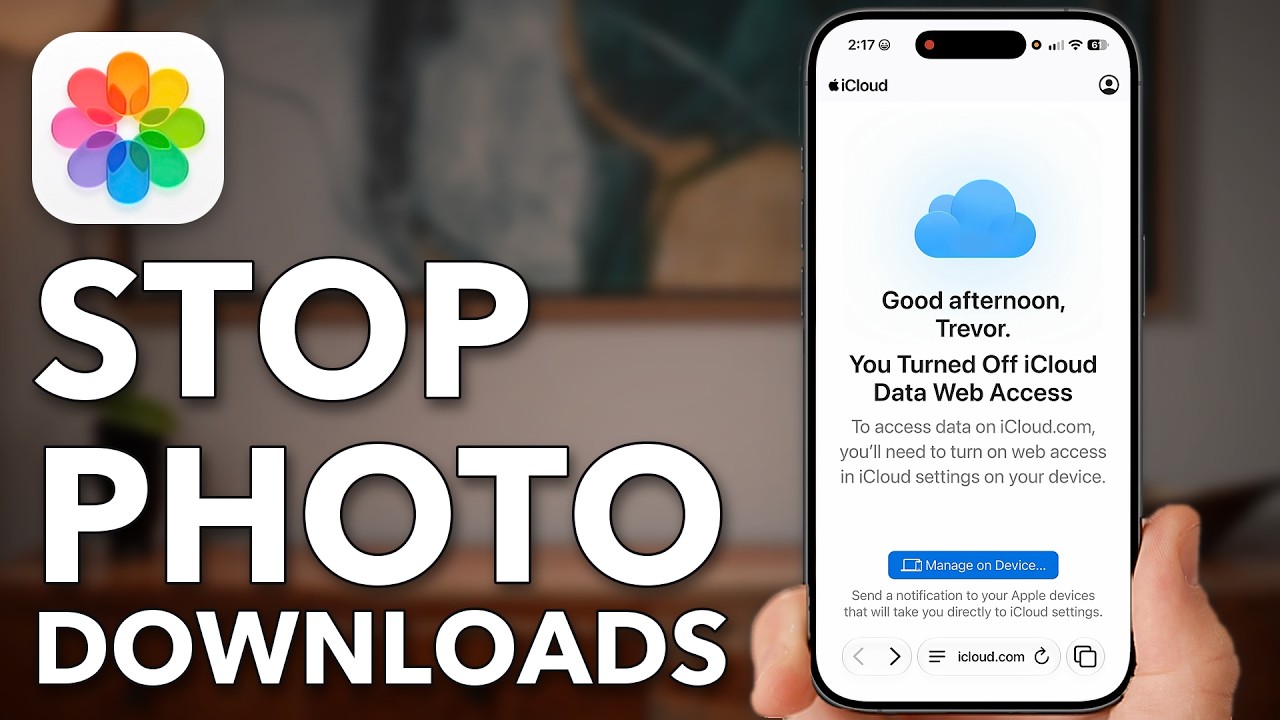 iPhone: Turn This OFF Before Someone Downloads Your Photos!
Trevor Nace opens iCloud in Safari and shows personal files available to download. After changing a setting on his iPhone, he returns to the site: this time, a notice says iCloud data web access is turned off.
That before-and-after demonstration has drawn nearly 39,000 views in sixteen hours, a much faster start than his regular tutorials usually get. Phone privacy is familiar territory for Nace: guides about tracking and listening on Android and iPhone sit at the top of his most-watched regular uploads.
The important distinction in this tutorial is that blocking browser access is not the same as switching off iCloud. Nace explains that photos, files and notes can remain backed up and available on your devices without being accessible through iCloud.com.
The actual switch appears just past the two-minute mark. In the iPhone's iCloud settings, he turns off "Allow Data Access" under iCloud.com, then checks the result in Safari. He also demonstrates changing an Apple Account password and explains how Stolen Device Protection adds a delay to that process.
Despite the urgent title, "iPhone: Turn This OFF Before Someone Downloads Your Photos!", Nace acknowledges the convenience question. Viewers pick up on precisely that trade-off: several ask how they would retrieve their information if their phone were lost or damaged, while another points out that quick browser access is the very feature some people want to keep.
Published on Trari
Where next?



What viewers say
How do you reverse your choice, if you prefer having the access?
What happens if your phone is stolen or damaged and you need to download your stuff to a new phone?@Itsme-vo4fxSee it on YouTubeSame trade-off its always been, convenience vs security, if you want quick convenient access, leave it on. If said access isn't worth the added security risk, turn it off.
@pcrewe28See it on YouTubeIf I turn it off, then if I lost my iphone, then how I can access my icloud??
@kris10957See it on YouTube
Public comments from the video's page on YouTube
 Is this your channel?For the channel's owners and team: a ready picture and text for your audience
Share the story with your audience. Everything is ready:
For an Instagram story or a WhatsApp status
For a community post or your channel's description
- Channel
- Trevor Nace
- Subscribers
- 1,540,000 ▲ 10,000 this week
- Channel views, last 7 days
- 5,991,501
- Channel views, pace per day
- 672,370 (on a normal day: 776,549)
- Video published
- October 31, 2026
- Video views so far
- 38,932 (less than a day online)
- Video views, pace per day
- 46,946
The numbers
Nace's iCloud tutorial is drawing views far faster than his usual regular-video start. Its comment count has also already passed his typical first-day total.

💡 Test your knowledge
Which browser does Nace use to check that iCloud web access is blocked?
Nace returns to iCloud.com in Safari after changing the setting on his iPhone.