
Trevor Nace puts Siri to work sorting his iPhone photos
His tutorial uses iOS 27's Siri AI beta to build albums, but a Costa Rica search shows why location tags matter.
 Trevor Nace
Story of
Trevor Nace
Story of Why this story? The video opened at a pace of 64,951 views a day, 17 times a normal first day on this channel (3,900).
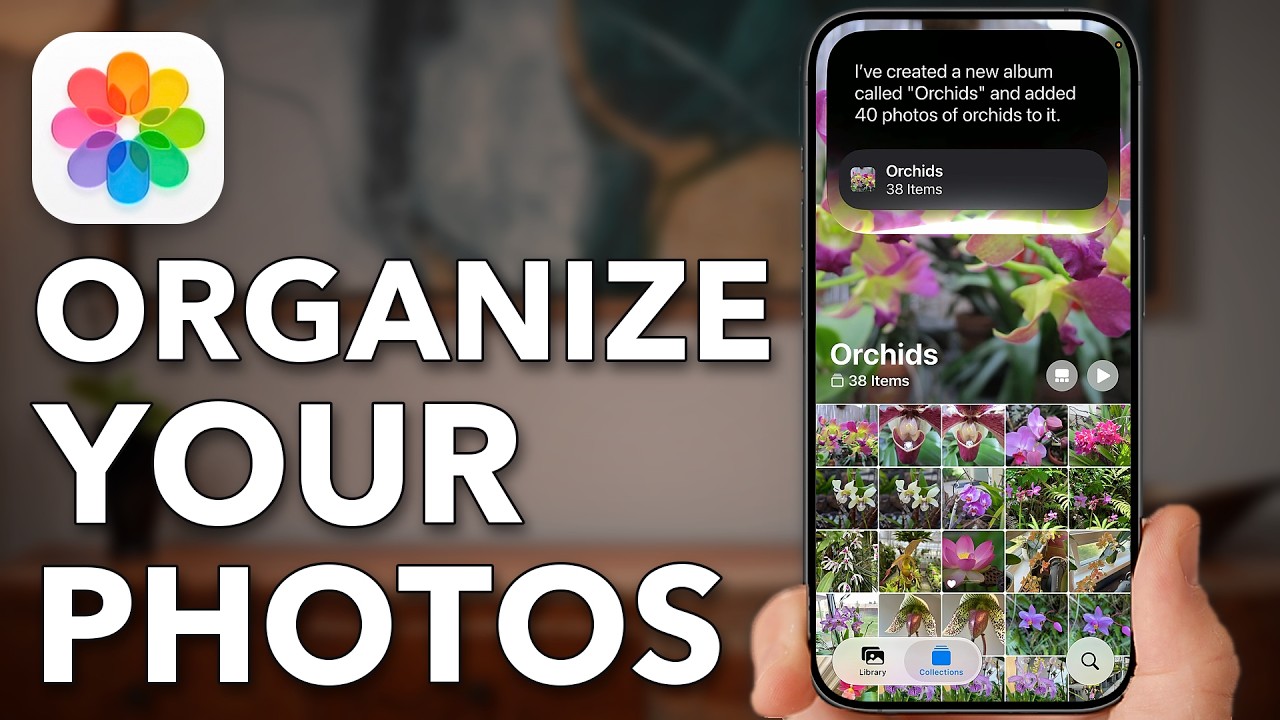 Finally! Organize Your iPhone Photos App In Minutes
Things we can learn from the video
Press to jump
- 0:26Built-in filters narrow the library to screenshots or photos you've taken.
- 0:58Nace shows the iOS 27 update and Siri AI beta settings required for his album-building method.
- 1:28A request to collect his orchid photos produces a dedicated album.
- 2:51Siri cannot find recent Costa Rica photos by location and offers older pictures instead.
- 3:15A request for family beach pictures successfully gathers a matching set.
- 3:32Adding location information manually helps make untagged photos findable by place.
The orchids are easy. The vacation takes more explaining. Trevor Nace asks Siri to gather pictures of his plant-collecting hobby into an album, and it produces a collection he can scroll through. Asking for a recent Costa Rica trip sends it back to older photos instead.
That mix of convenience and friction is at the heart of "Finally! Organize Your iPhone Photos App In Minutes," which reached roughly 54,000 views in 16 hours, already far beyond his regular videos' usual first-day audience.
Nace starts with tools that don't require an AI assistant: filtering the library down to screenshots or pictures you've taken yourself. Then he moves into Settings to enable Siri AI beta on iOS 27, the setup required for the album-building method he demonstrates.
His orchids give the feature a straightforward subject to recognize. Travel is less tidy. When Siri cannot find the recent Costa Rica photos by location, it offers pictures from an older trip. A request for family beach photos works, and Nace finishes by showing how to add a location manually to pictures missing that information.
The comments raise a different organizational wish: putting photos into albums without leaving them visible in the main library. Others ask how much tagging is needed, while one viewer distinguishes searching and filtering from actually organizing a collection.
Nace's demonstration tackles finding pictures and gathering them into albums. The distinction matters for anyone hoping it will also clear the visual clutter from the main library.
Published on Trari
Where next?


What viewers say
I just wish there was an option to remove them from the main library and only have them in albums..
@swimmieySee it on YouTubeDo you have to tag or identify the photos in any way beyond what the iphone tags onto the image?
@staynavytom2963See it on YouTubeThanks! I thought my phone was automatically logging the location but it’s not! Great hints!
@Colleen1978See it on YouTube
2 more comments
Trev - thnx much. Worked as advertised. I created the albums and it placed them there. Siri way better than manual. Got tons to do.
@richrico9783See it on YouTubeI wouldn’t really call this organizing your photos this is more like searching, filtering and sorting.
@tfraleySee it on YouTube
Public comments from the video's page on YouTube
 Is this your channel?For the channel's owners and team: a ready picture and text for your audience
Share the story with your audience. Everything is ready:
For an Instagram story or a WhatsApp status
For a community post or your channel's description
- Channel
- Trevor Nace
- Subscribers
- 1,530,000 ▲ 10,000 this week
- Channel views, last 7 days
- 5,876,798
- Channel views, pace per day
- 626,043 (on a normal day: 720,020)
- Video published
- October 27, 2026
- Video views so far
- 53,883 (less than a day online)
- Video views, pace per day
- 64,951
The numbers
The Photos tutorial has already passed Nace's usual first-day views, with its opening day still underway.

💡 Test your knowledge
Which country's vacation photos does Nace ask Siri to gather?
Nace requests an album for a recent Costa Rica trip, but Siri offers older photos instead.